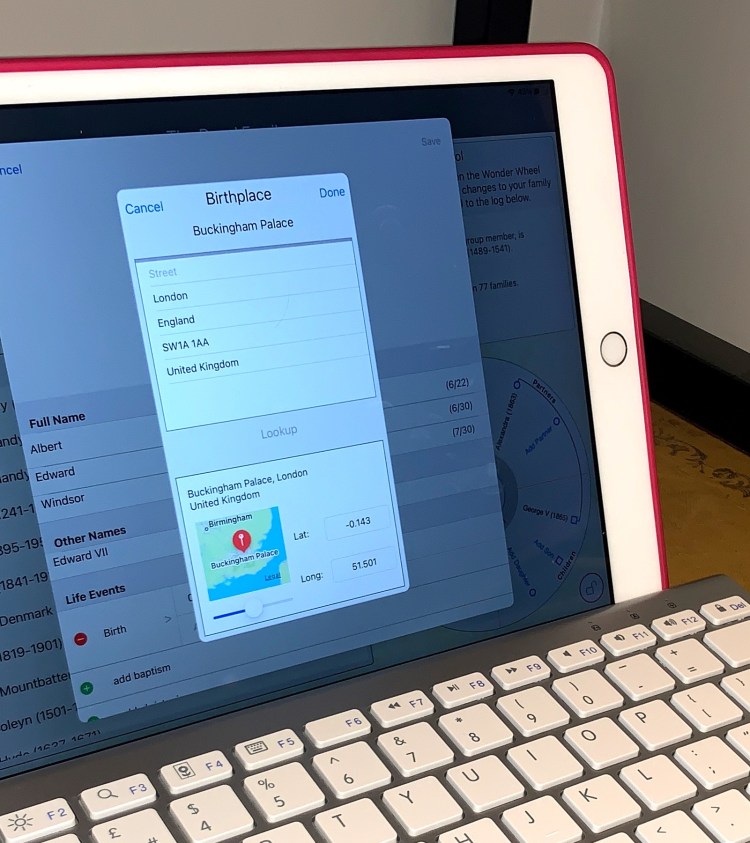
Our latest Forebears release (version 2-3-2) includes a radical change to the user interface for iPad users. We know that some of our customers always like to use their iPads in Landscape orientation and often with an external keyboard and mouse attached. That’s certainly a great layout if you’re used to a laptop or desktop computer and ideal to enter your family history into Forebears.
So to support all our iPad customers we’re delighted to say that you can now work in either portrait or landscape with (almost) the full range of functions available either way. I say almost because landscape is still the only place you’ll find the “Big Ancestral Circle” display to see, in one neat picture, all 62 ancestors going back through six generations!
 Opsisoft Apps
I have been looking forward to another application for my genealogical research. With over 14,000 entries from over 20 years of research most apps can not handle this. I am hoping your application will.
LikeLike
Hi. Delighted to know you’re giving Forebears a go. 14,000 members should be no problem at all. It’ll just take a while to upload the GEDCOM so sit back and have a coffee ;-). And let me know how you get on!
LikeLike
So, I did have a coffee – or two – during the upload. Interesting GUI during the process. Once uploaded i was of course excited to see my results. All of the names came in and they had a number that I think was a recent year; i.e., 2023 or 2024 etc. When i found me in the left bar a tried to make myself the focus record. I noticed my parents, spouse, children and siblings came into my circle. However, there were no images (jpegs) or vitals. The images were exported with the GEDCOM and all vitals and sources were exported too. Wonder what could’ve gone wrong?
LikeLike
Hi – I think (I certainly hope!) you got a reply from me already on this issue with importing Images. But for the benefit of other Forebears users who may be wondering why their images are not part of the import I need to explain a couple of things. Big applications with central servers store your family databases and any images centrally on their servers. When you export your information the GEDCOM file that’s created, apart from all the family tree details also includes the identity information of any images held with url references for the images to be retrieved from the central server. When Forebears imports your GEDCOM file it captures the reference information about the images but the image itself is not within the GEDCOM and not part of the import. That’s what happens when you share from other systems into Forebears. But the good news for Forebears users (and their family and friends that are using Forebears) is that you can export either a GEDCOM file or a “Forebears Folder” which includes the images as jpeg files. You see we don’t have a central server and see none of your family history data or images. So it’s your choice who you share data with and how much data you share. But if you want to, then with Forebears you absolutely can share images. Hope that helps.
LikeLike
How do you print from Forebears?
LikeLike
Hi there. Your question is a great one and it got me thinking. When you first wrote this my answer was “Right now you can print an Ancestral Wheel, that’s all”. Which wasn’t a great answer! So I got busy and released a new version with far more extensive print capabilities. Take a look at the recent posts where you’ll see I describe the new Person Index that lets you print out the core information in your database or your imported GEDCOM file. There’ll be more to come but I think you’ll like this new feature!
LikeLike